Hang what you own on a tag. Every use marks it down.
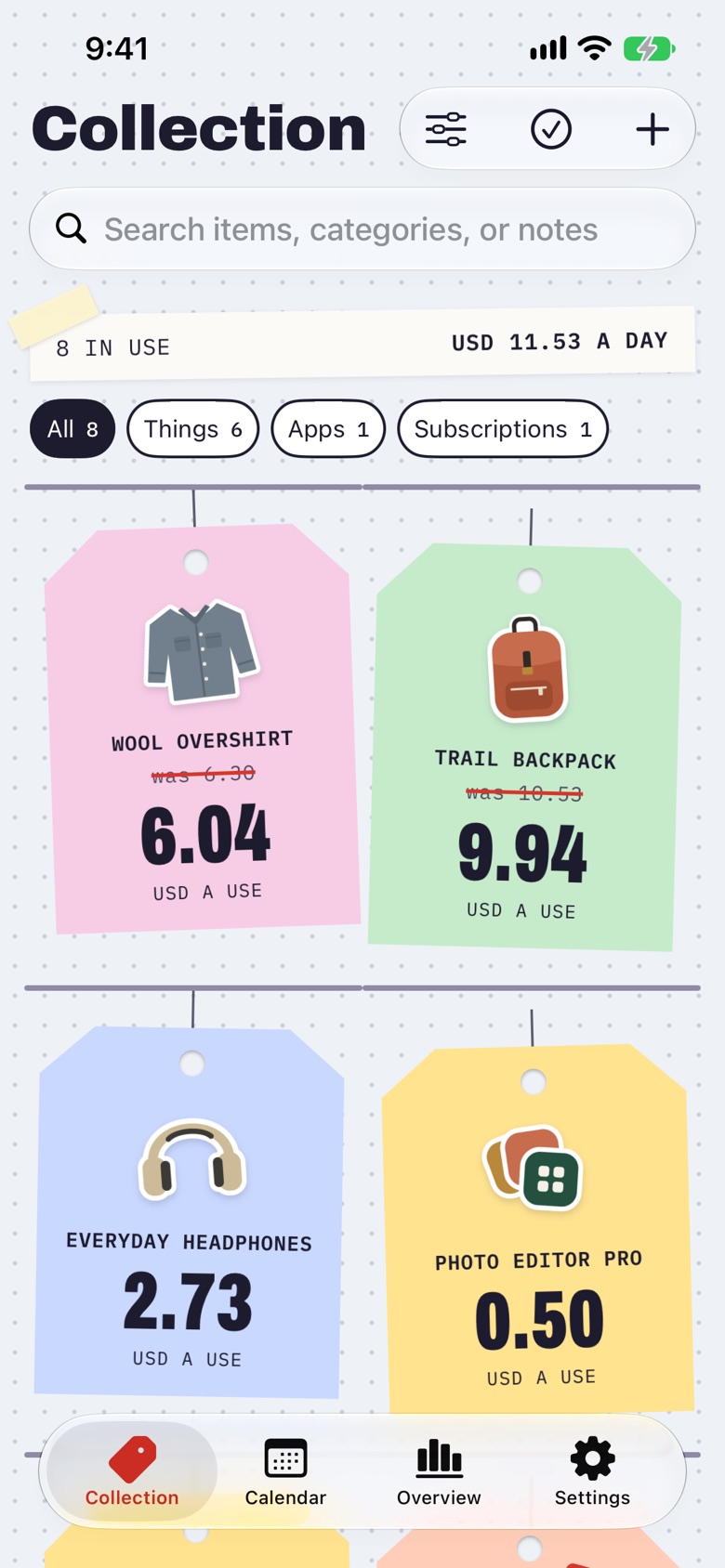
Know what every item costs, from the camera you take everywhere to the coffee kit you use every morning. Each thing hangs on a price tag in its category’s colour, with its sticker and what one use costs. Log a use and the tag marks down; reach your goal and it is stamped Goal met.
App preview · sample collection
A little more context for every purchase
More than a list of belongings.
A collection that feels like yours
Add photos, organize categories, and keep purchase dates, warranty dates, and notes close at hand. Search and filter when you need to find something.
See the value in using it
Log a use in a tap. Follow cost per use, look back at your history, or set an optional goal. Cost per day works even when you prefer not to log.
Keep the original currency
A purchase abroad stays in the currency you paid. Reference conversions help compare purchases, with the rate and date available to inspect.
Follow the whole ownership story
Keep items in use, mark them retired, or record a sale. Sale proceeds give you a net ownership cost while the original purchase stays in your history.
Log uses without opening Keeps
Your things can log themselves.
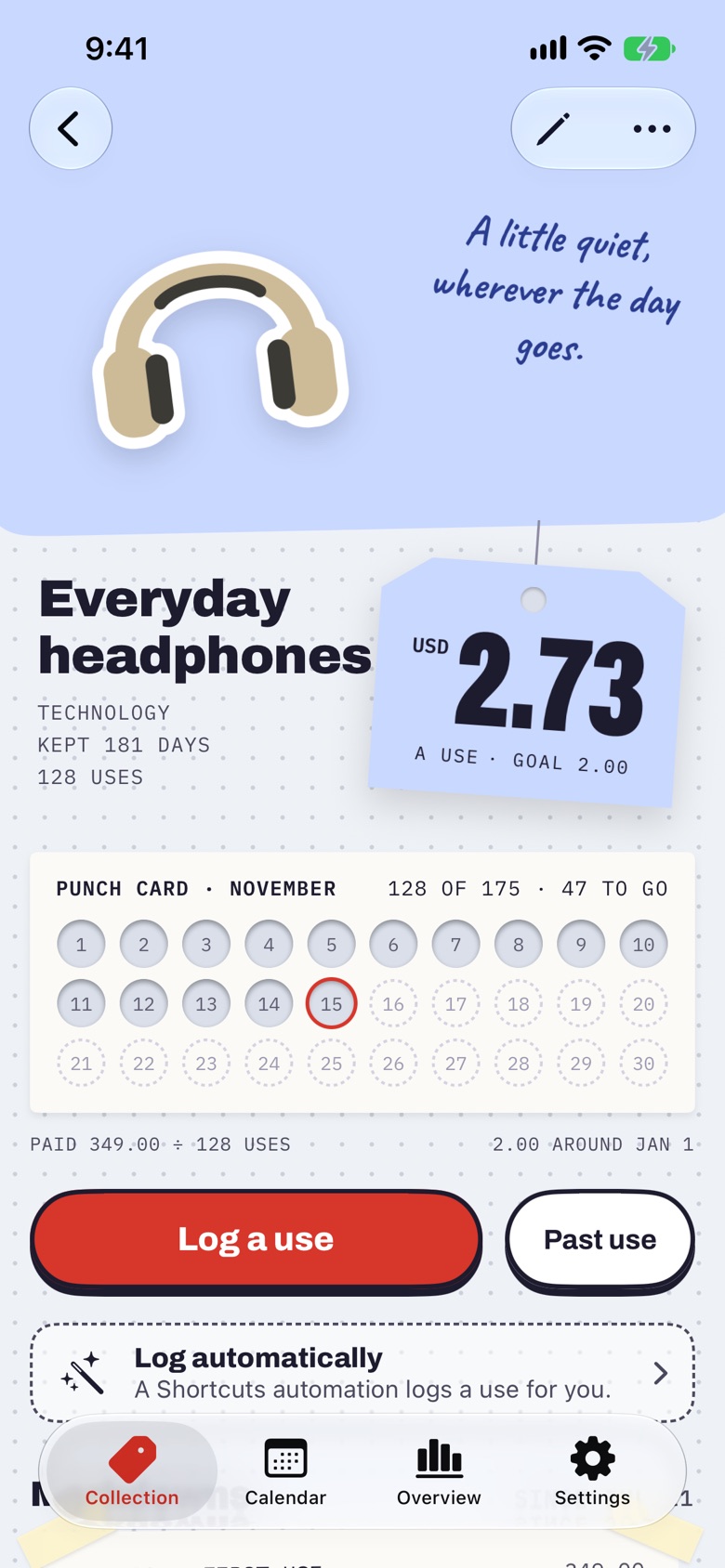
Every item page has Log automatically, which suggests a Shortcuts automation for that item and walks you through setting it up. The Log a use in Keeps action runs even while your iPhone is locked, so the use is recorded the moment it happens and your cost per use stays honest.
Log an iPhone Duo use.
Add your Duo to Keeps. In the shortcut’s Log a use in Keeps action, select your own iPhone Duo item.
In Shortcuts, set an automation to run this shortcut when your Duo opens or when it closes. Choose one trigger for one use per open-and-close cycle. Choosing both records two.
Price tags. Punch cards. A theme that feels like you.
A price tag gives each item its name, its sticker or photo, its original currency, and its cost per day or use. Each month’s punch card shows the days you used it and how far it is from your goal; Log a use punches today. Open Calendar to look back at the days it was part of your life.
Choose from seven themes: Keeps, Forest, Harbor, Clay, Plum, Graphite, and Midnight. A theme sets the accent for stamps, buttons, and links on the same dotted paper, in light and dark. Present a photo as a Cutout, a bordered Print, or a full-stage Fill. Search your collection and combine type, category, tag, and status filters when you need something specific.
Apps and subscriptions live alongside physical things. Keep billing cycles, next renewal dates, and recurring costs in view, with optional renewal reminders.
Overview separates the belongings you still own from your purchase history. Explore purchases by month or year, compare categories, and open the items behind a total. See what you use most, and choose which sections Overview shows and in what order.
Warranty dates and logged-use insights appear when there is something relevant to show. Amounts reflect purchase costs and reference conversions; they do not estimate resale value.
Add an item yourself or read a supported product page. With Keeps Pro, bring in Apple purchase history, Amazon orders, receipt files, or CSV in batches. Review names, photos, categories, and amounts, then choose which items to add.
Keep the story with each belonging: where it came from, when you bought it, and the details you want to remember. You stay in control of what becomes part of your collection.
Start on one device. Enable iCloud when you want your collection on your other Apple devices. Keep a backup with your photos and use history, or enable daily or weekly backups when you open or return to a changed collection. Share a copy whenever you need one.
No Keeps account or advertising. RevenueCat processes Pro purchase records and purchase-screen interactions for verification and analytics; your collection, imported purchase history, photos, and notes are not sent to RevenueCat. Photo editing runs on your device. Optional web photos and currency conversions contact the services described in the privacy policy.