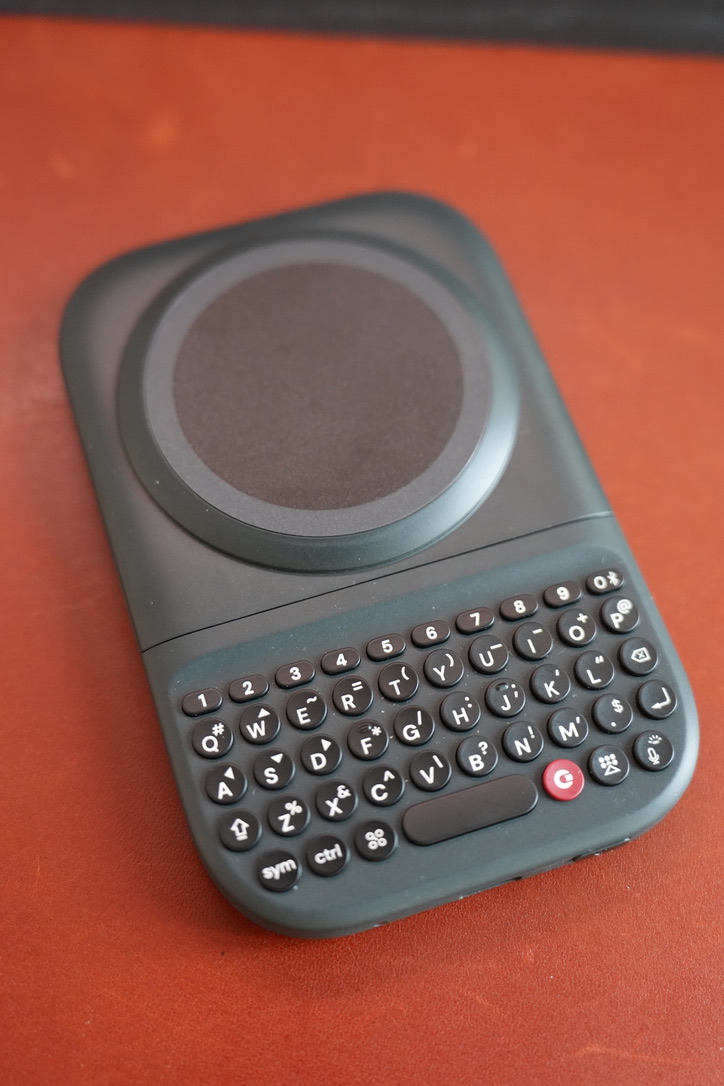
I ordered the Clicks Power Keyboard on January 2, 2026, and it arrived on August 5, just over seven months later.
I’ve used it quite a few times since then, but I’m still finding it hard to get used to the physical keyboard layout. After so many years of typing on an on-screen keyboard, switching back to real keys feels less natural than I expected.
More than a row of phone keys
Clicks combines a compact Bluetooth keyboard with a magnetic phone mount and a battery. Its product page lists a 2,300mAh battery and 5W Qi wireless charging. Bluetooth handles the typing connection; the magnetic attachment is a separate part of the design.
That separation is useful. The keyboard isn’t built around one phone’s charging-port position, and Clicks says it can also work with other devices that support Bluetooth keyboards. The phone mount still needs a compatible magnetic attachment.
The part the specs don’t explain
Physical keys give your fingers a fixed target and can leave more of the screen available for the app. But those benefits don’t immediately erase years of touchscreen habits.
That has been the main friction for me. A keyboard can be thoughtfully designed and still take practice to feel natural. I wouldn’t call it a typing-speed upgrade based on my experience so far.
The tradeoff
The keyboard adds another object to carry and charge, plus extra bulk when attached to a phone. Its 5W charging is better thought of as a modest top-up than a replacement for a fast charger.
The question is whether the physical keys solve enough of a daily annoyance to justify that extra object. I’m still getting used to mine. After such a long wait, that is a more honest conclusion than pretending it clicked immediately.
Comments
Questions or thoughts? Join the conversation with your GitHub account. Comments are public.
You can also read and join discussions on GitHub ↗