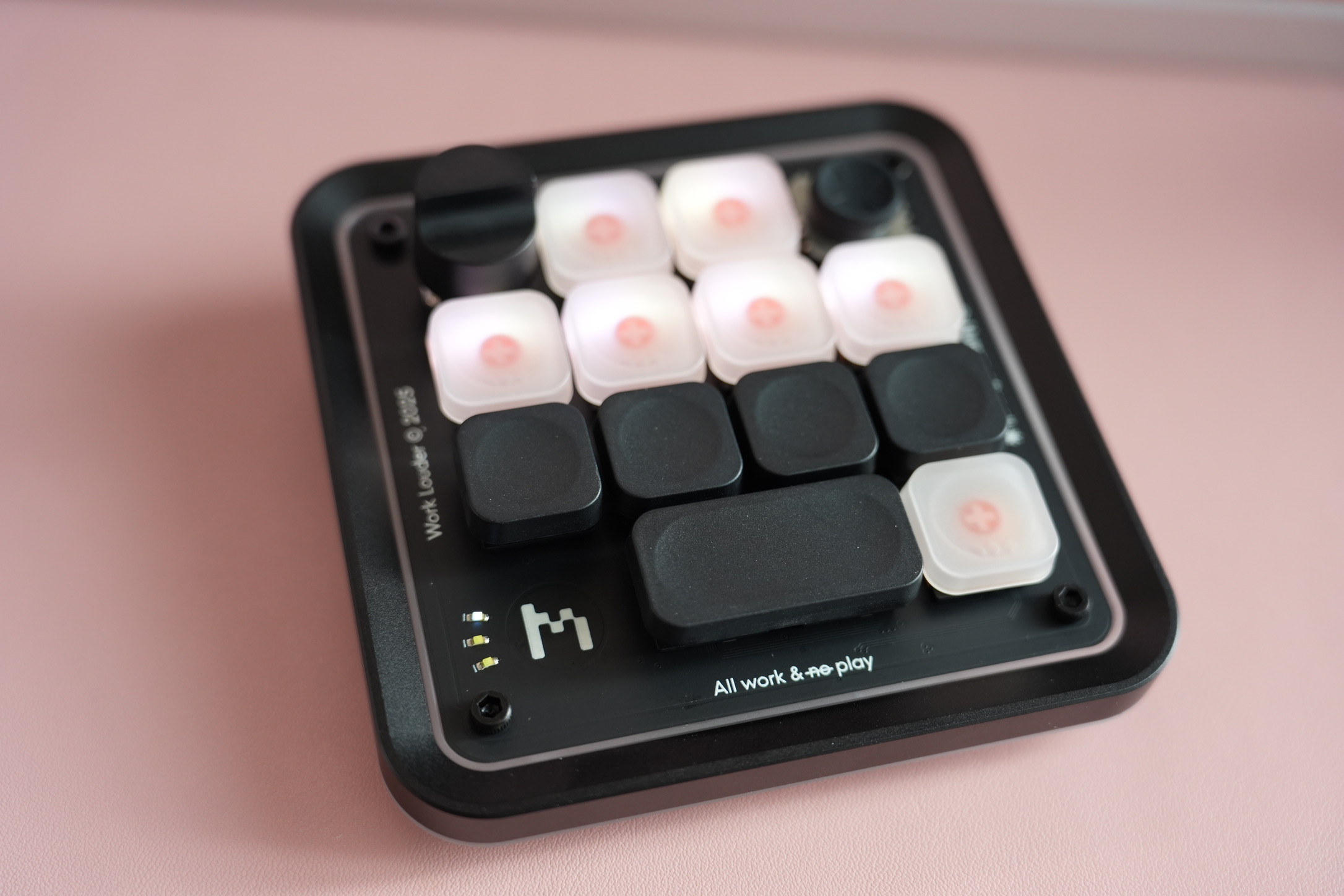
I bought the Creator Micro 2 on July 22, 2026, and it arrived on August 1. I’ve been using it every day since then. It’s been really useful with Codex.
A small set of controls beside the keyboard
A macro pad makes a simple promise: give repeated actions their own physical place. The Creator Micro 2 combines keys with a joystick and a dial, so not every action has to use the same kind of input.
Work Louder’s product page describes configurable shortcuts, multiple layers, and app-specific presets through its Input software. That flexibility is the point. A small group of controls can do more when the assignments match the work in front of you.
Why it earns desk space
My own use is with Codex. The important part isn’t how many shortcuts can fit into a configuration; it’s whether the actions used repeatedly become easier to reach. Daily use is a better sign of value than filling every possible layer.
A sensible way to approach a device like this is to start with a few frequent actions and keep their positions consistent. Adding everything at once makes it harder to remember what any particular key does. That is a setup principle, not a description of my exact key map.
The tradeoff
The hardware still needs a useful configuration. There is some effort in deciding what belongs on it, remembering the layout, and adjusting when a workflow changes. A normal keyboard shortcut might already be enough for an occasional action.
For me, this has become a daily tool rather than something that only looked good during unboxing. That is the strongest reason I can give for keeping it next to the keyboard.
Comments
Questions or thoughts? Join the conversation with your GitHub account. Comments are public.
You can also read and join discussions on GitHub ↗