On this page
iPhone Duo arrives next month, and I’ve spent the past few weeks getting LiftCoach ready for it.
Built for how you hold it
iPhone Duo isn’t one screen. Closed, it’s a phone with a wider, shorter display than other iPhones. Open, it’s a small tablet you can hold wide like a book, turn tall, or fold halfway and stand on a bench.
Stretching the phone layout across the bigger display would waste most of it. So every workout screen in LiftCoach is split into two parts: what you read from across the rack, and what you tap.
Open wide: two pages
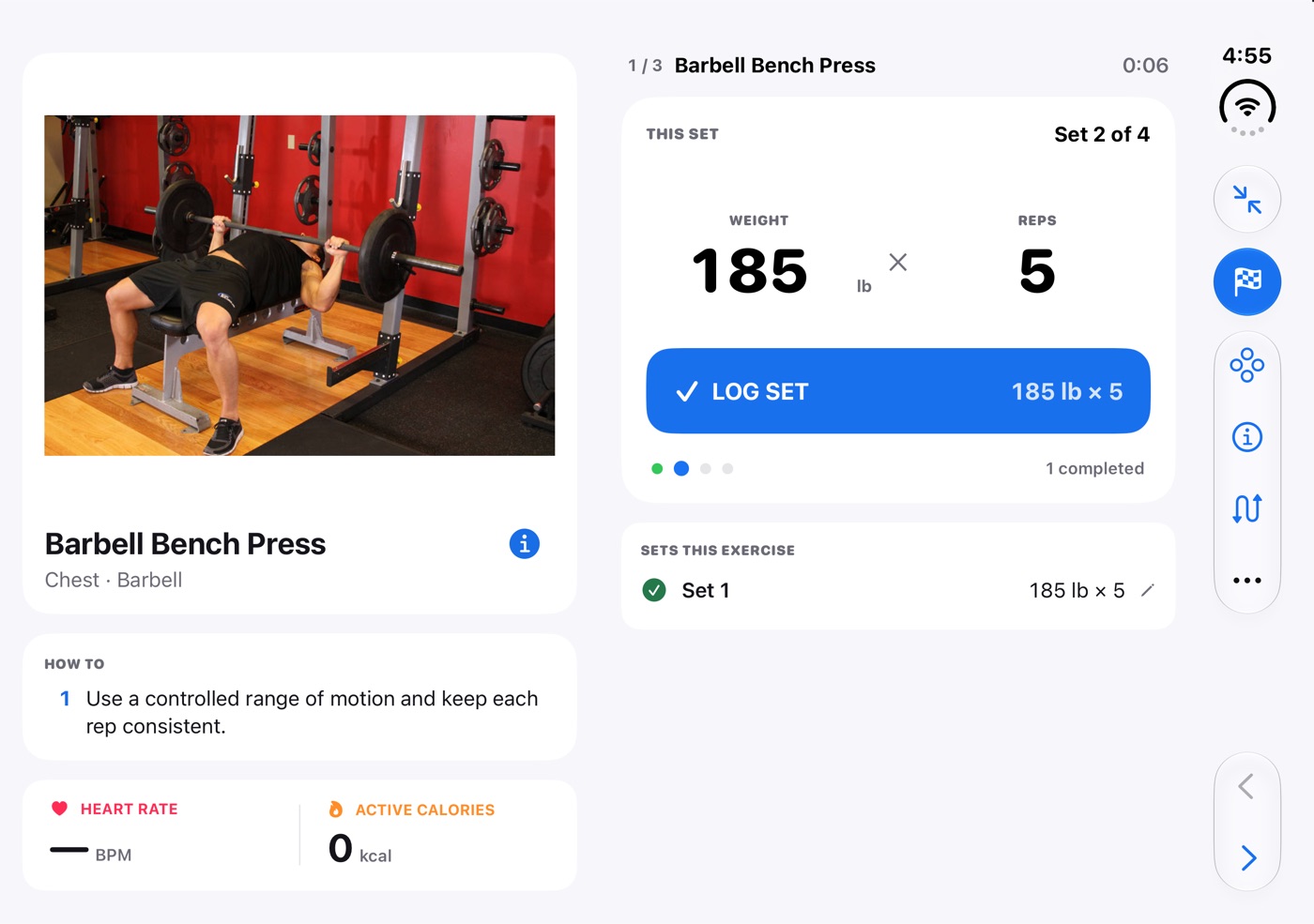
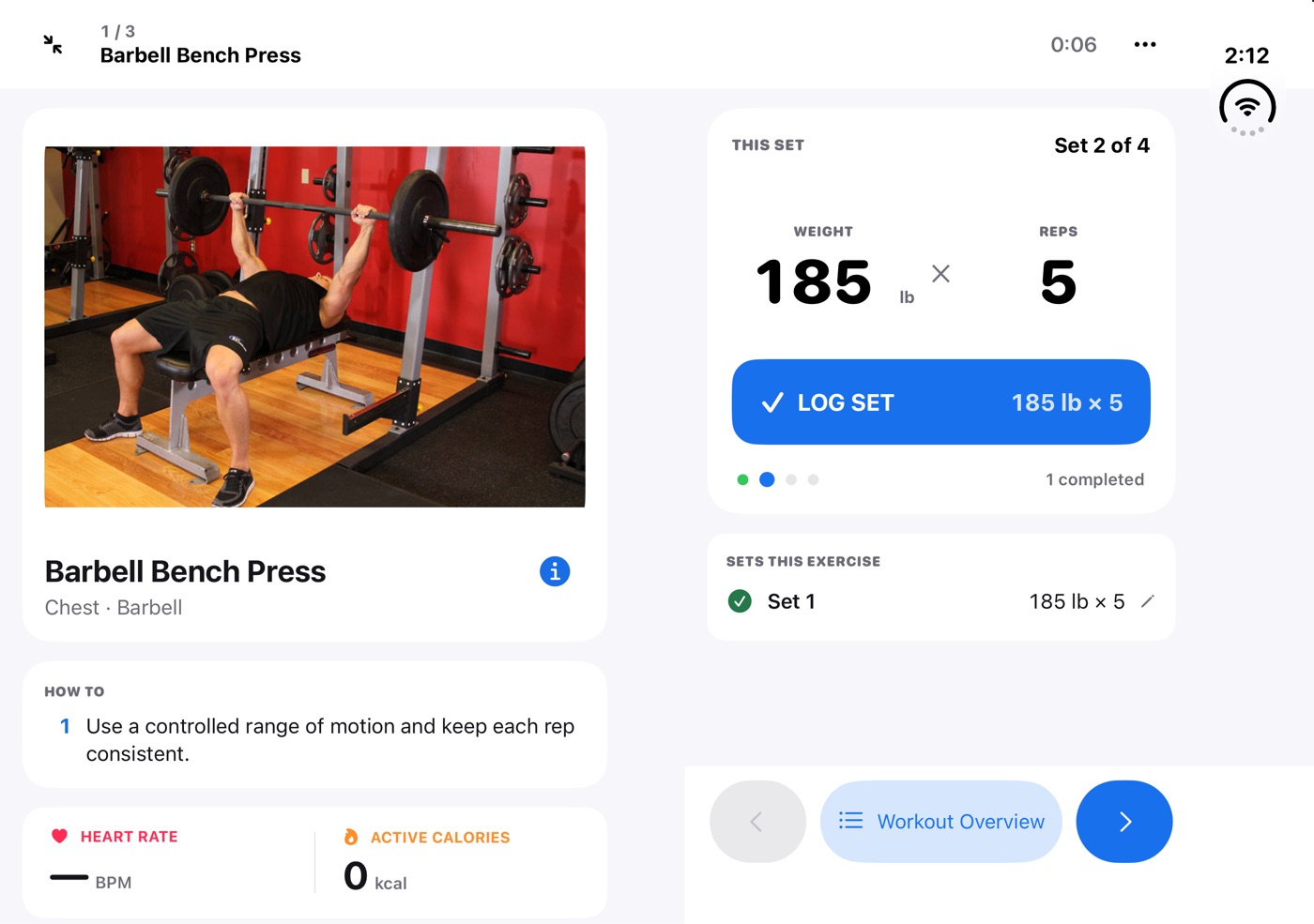
Open the device and Focus becomes two pages. The left page is the exercise: an animated demo, step-by-step instructions, what you lifted last time, and live heart rate. The right page is the logger: this set’s weight and reps, Log Set, the rest timer, and the sets you’ve already done. Workout actions sit in the bar on the right edge, next to your thumb.
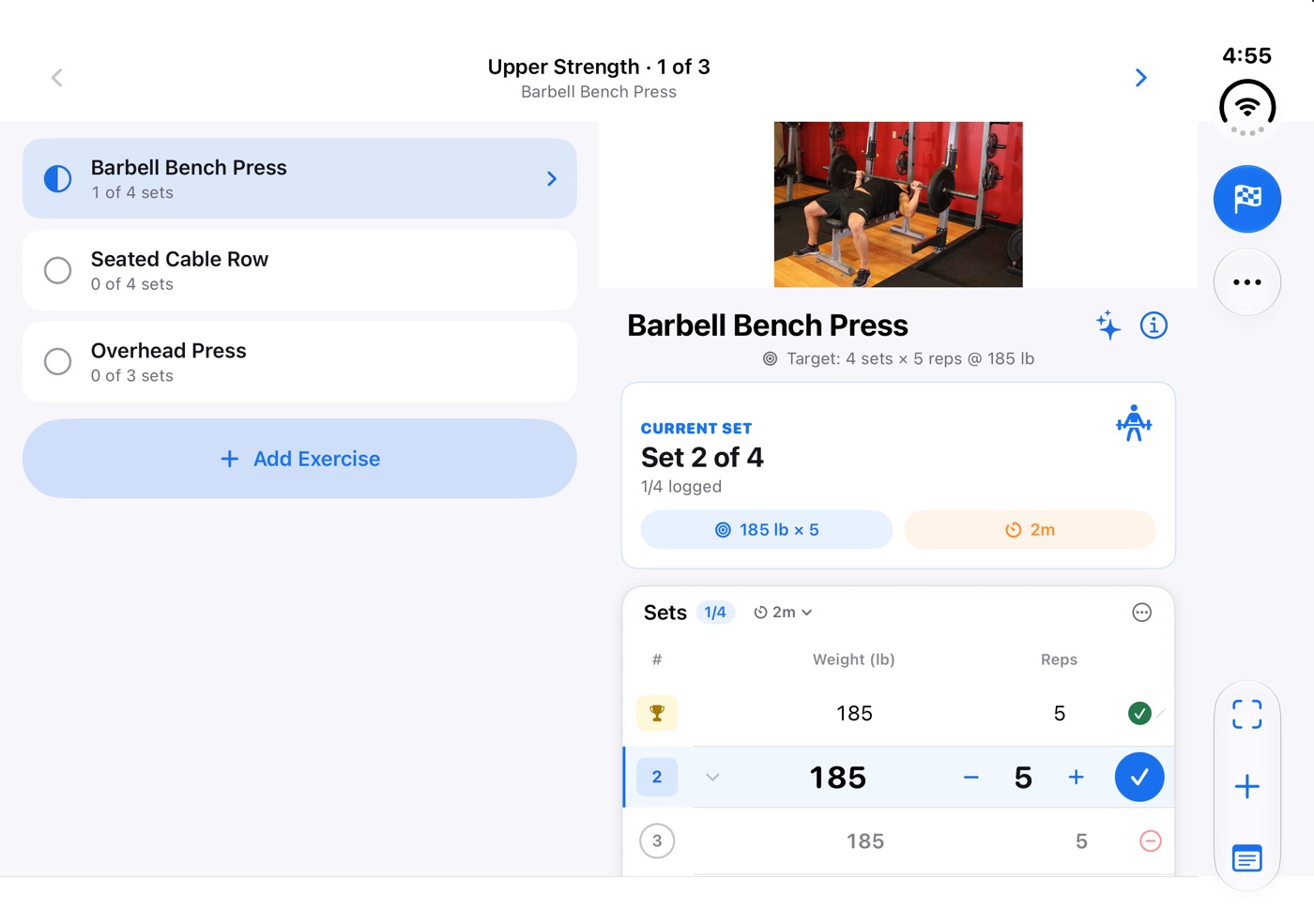
The workout page works the same way. Every exercise and its progress is on the left, and the one you’re on is shown in full on the right.
Seated mode: a screen on the bench
Hold it tall, fold it halfway like a small laptop, and set it down. LiftCoach switches to seated mode. The top half stands up and becomes a screen, dark and edge to edge, with nothing on it you need to touch.
While you lift, it shows the demo next to your set in big type: which set you’re on, the weight, and the reps. While you rest, the whole top half becomes a countdown you can read from across the gym, with your next set underneath and a bar that runs down as the rest ends.
Everything you tap lies flat on the bottom half: weight and reps, Log Set, rest adjustments, Skip Rest, and the next exercise. The screen stays on for as long as it stands there. Unfold it flat and the top half goes back to the demo and instructions, without losing your set or your timer.
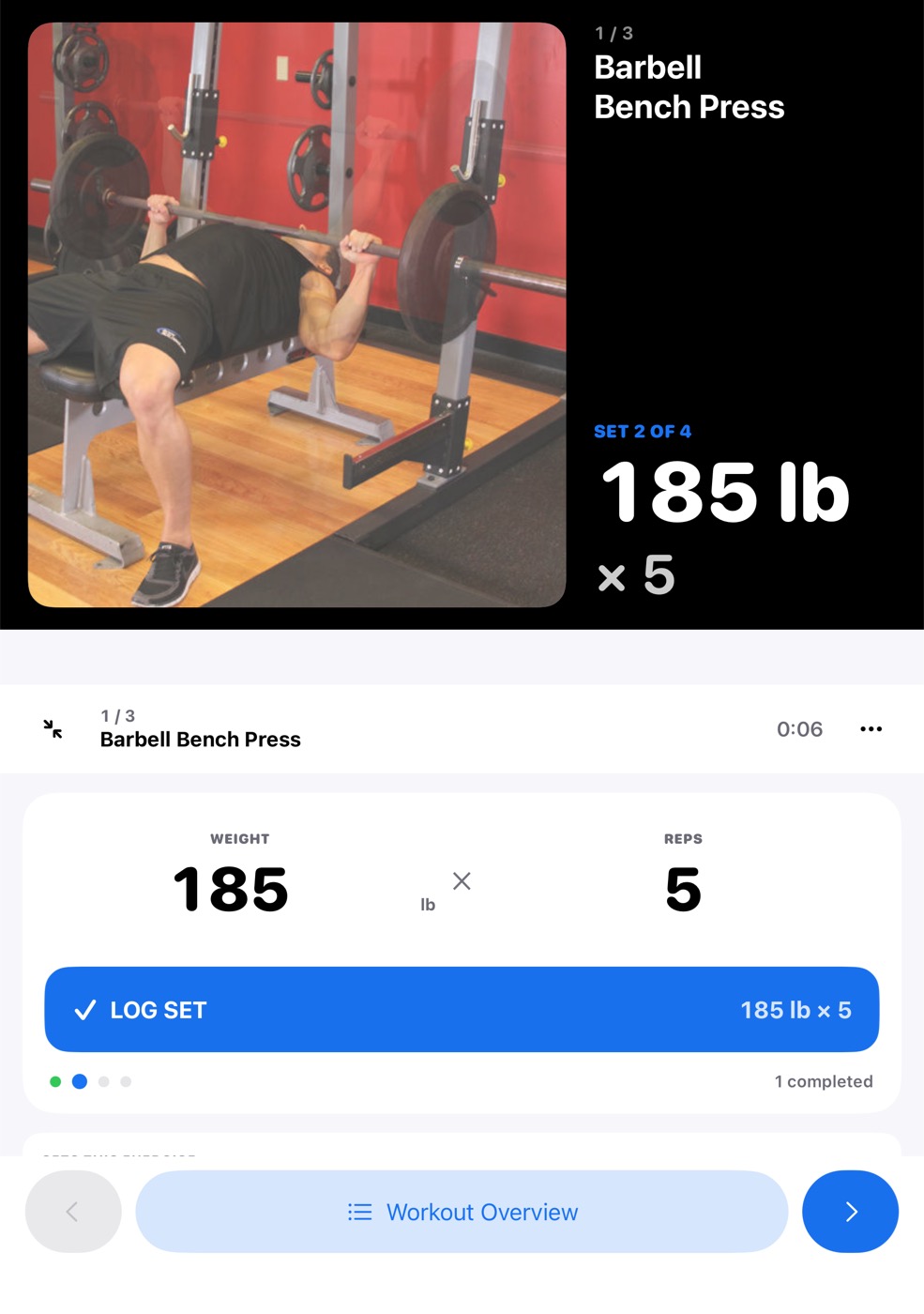
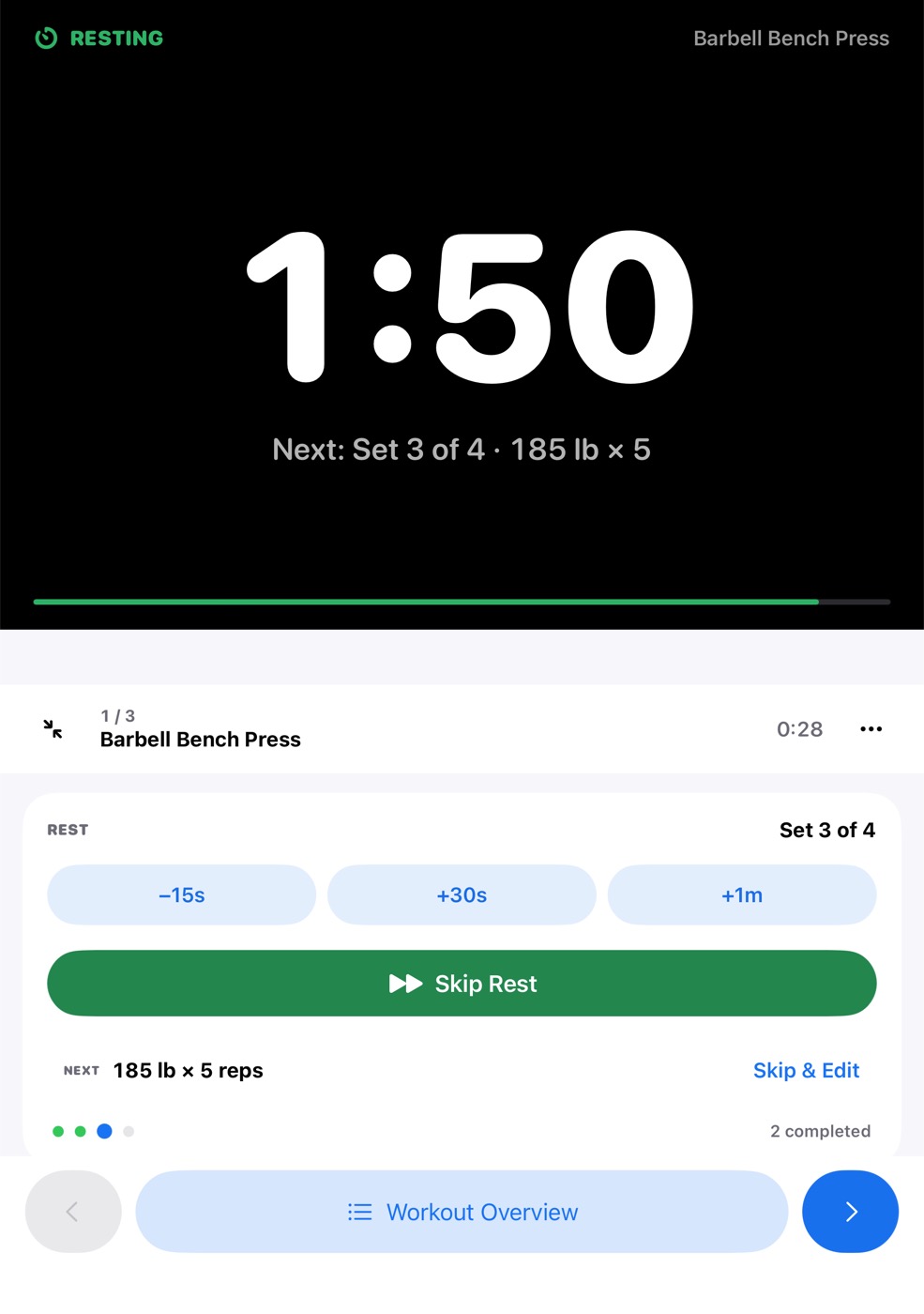
Half-folded like a book, the two pages settle on either side of the fold, so nothing you need to tap sits on the crease.
Closed: one hand, controls on the side
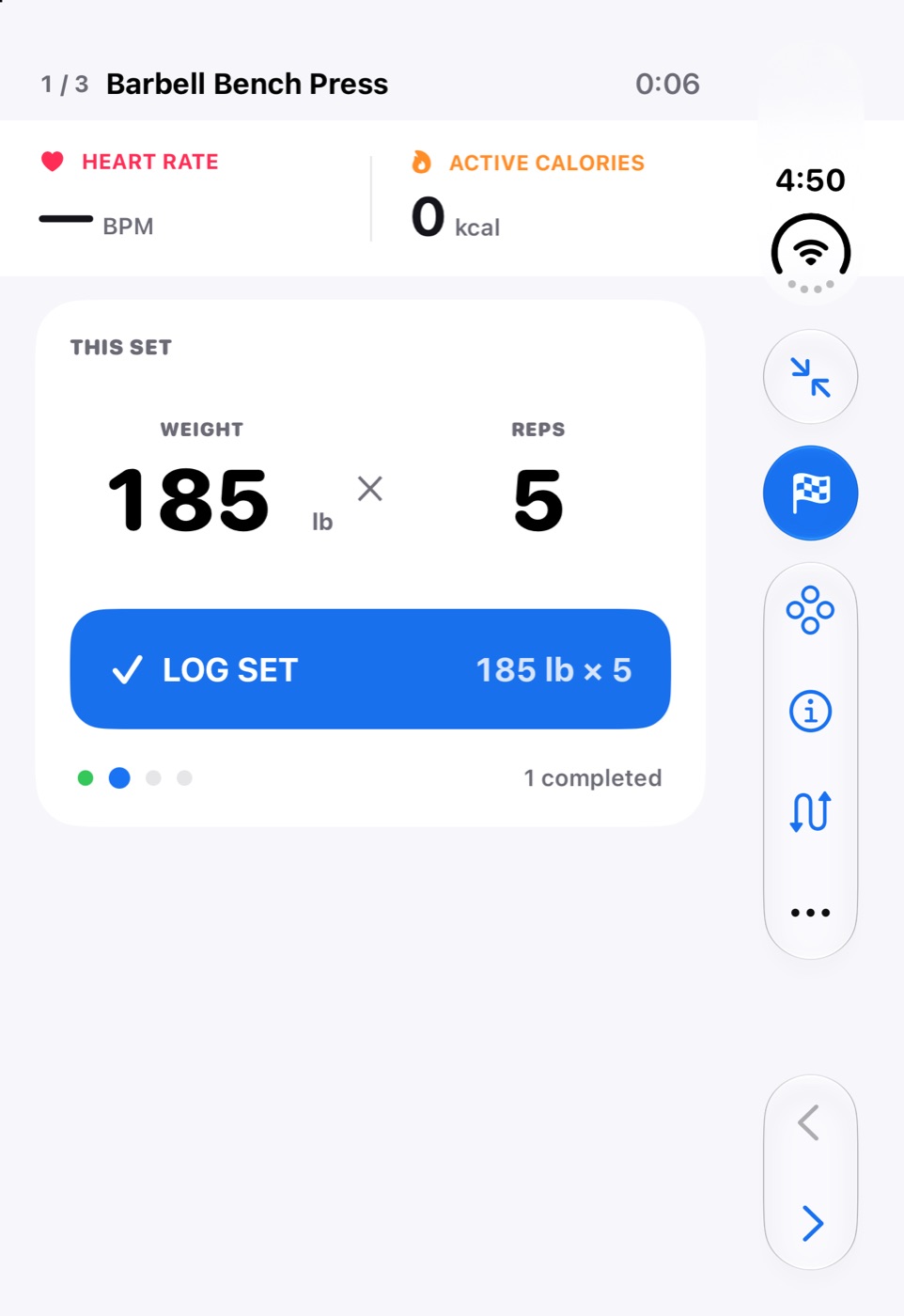
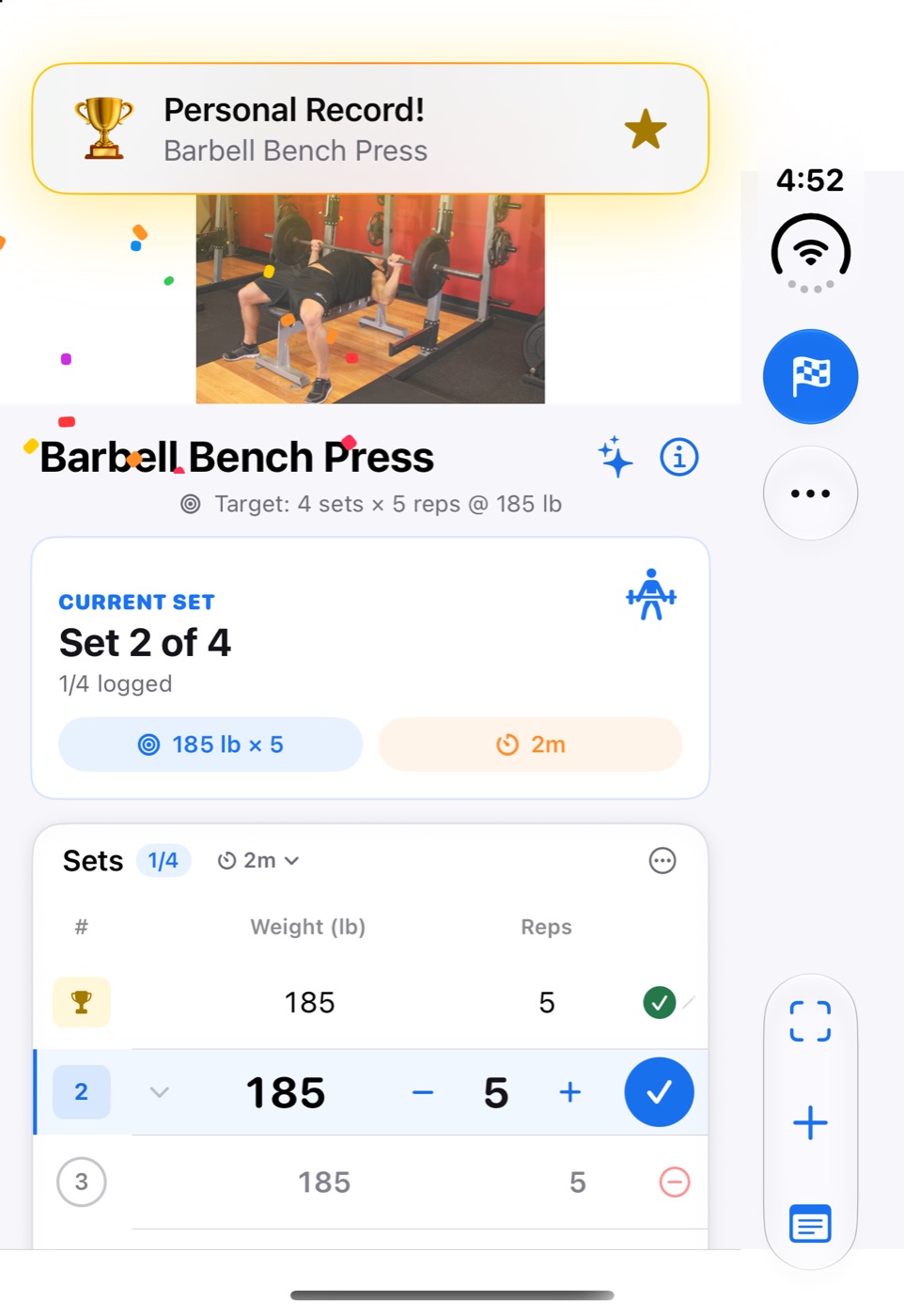
Closed, iPhone Duo puts toolbars in a strip along the right edge. LiftCoach uses it. Exit, Finish, the plate calculator, exercise info, and swap sit at the top, and Previous and Next sit at the bottom, right where your thumb is. The set card and the sets table get the full height of the screen.
A Live Activity that fits
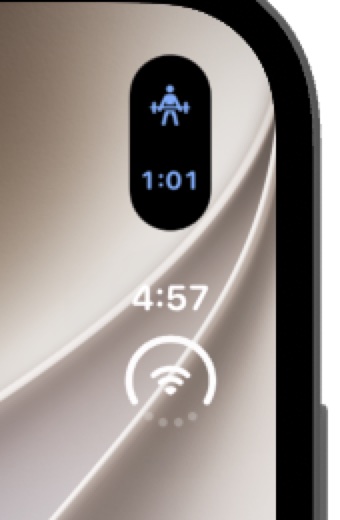
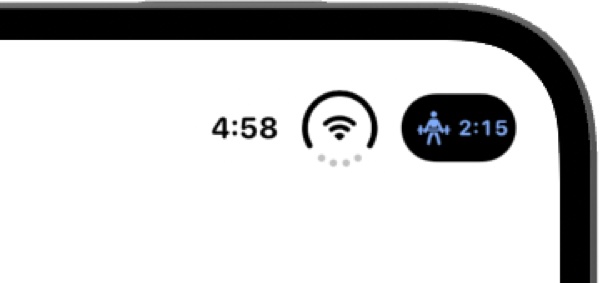
During a workout, LiftCoach’s Live Activity keeps your elapsed time or rest countdown in the Dynamic Island. On iPhone Duo the island lives in the corner: a narrow capsule in the side strip, or a small pill beside the clock. The timer now sizes itself to that space, so it always reads in full.
What’s next
There’s still a month before launch. Next up are larger text sizes in the two-page layouts, VoiceOver across both pages, and testing on the device itself.
LiftCoach is on the App Store for iPhone, iPad, and Apple Watch today. iPhone Duo support will arrive in an update.
Comments
Questions or thoughts? Join the conversation with your GitHub account. Comments are public.
You can also read and join discussions on GitHub ↗